
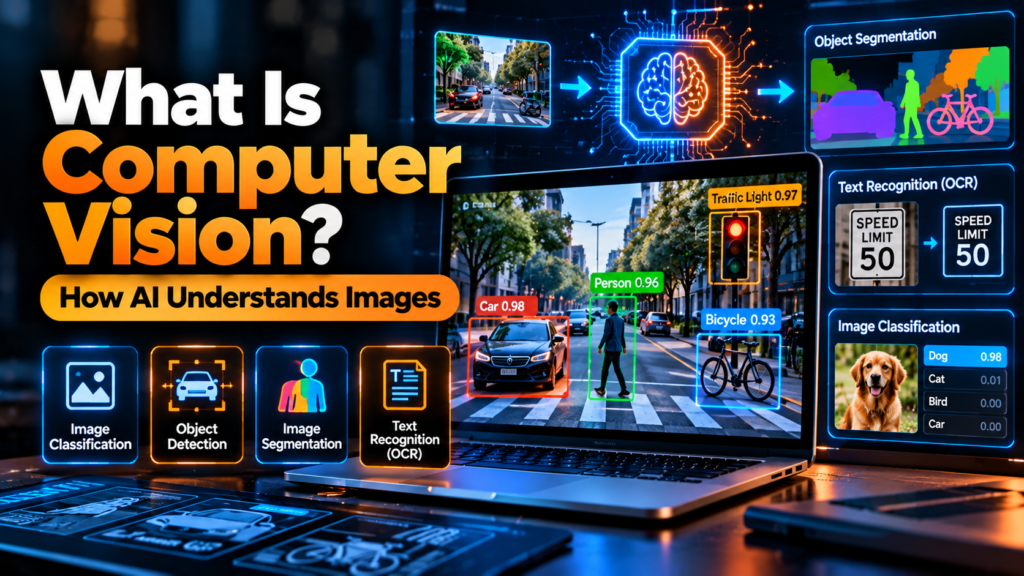
Computer vision is a field of artificial intelligence (AI) that helps computers analyse images and videos to identify objects, recognise patterns, extract information, and interpret visual scenes. It is used in applications such as manufacturing inspection, document scanning, accessibility tools, medical-image support, retail inventory, and traffic analysis.
In simple terms, computer vision turns pixels from a camera or image file into information a software system can use. Depending on the task, a system may label an image, draw boxes around objects, identify which pixels belong to each object, or read text in a photograph. Results can be wrong, so systems used for important decisions need testing and appropriate human oversight.
This beginner’s guide explains what computer vision means, how it works, the main tasks and examples, how it differs from image processing, and what limitations to consider.
For the bigger picture, read our guides to what artificial intelligence is, how AI works, and AI vs. machine learning vs. deep learning.
What is computer vision in simple words?
Computer vision is AI technology that processes and analyses visual information from images, video, and other visual inputs. It helps a computer system answer questions such as: “What objects are in this picture?”, “Where is the vehicle?”, “What text appears on this sign?”, or “Has this product got a visible defect?”
For example, an object-detection system analysing a street image might identify cars, cyclists, pedestrians, and traffic lights, then estimate their locations. An optical character recognition (OCR) system might read the words and numbers on a scanned invoice. These are different computer vision tasks that turn visual input into useful output.
Computer vision is a branch of AI, and many modern systems use machine learning and deep learning. However, not every image-processing operation is AI: adjusting brightness or cropping a photo can transform pixels without interpreting what the image contains. IBM, Google Cloud, and Microsoft provide further introductions to computer vision, vision AI applications, and computer vision concepts.
How does computer vision work?
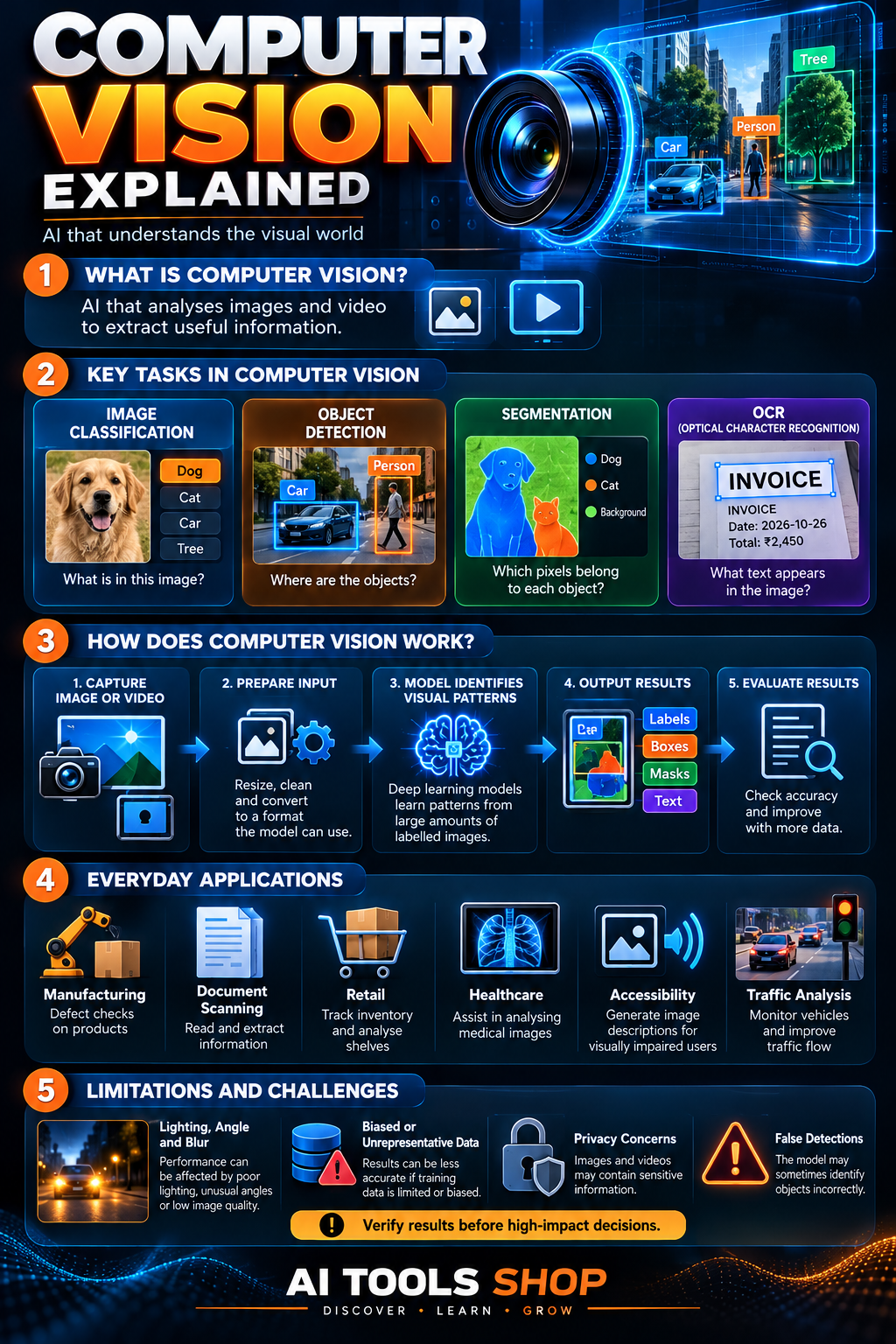
A computer vision system typically receives visual data, prepares it for analysis, uses an algorithm or trained model to detect patterns, and produces an output. The exact process varies by use case and model.
- Capture or collect visual data: an image, video frame, scanned document, or camera stream provides the input.
- Prepare the input: software may resize, crop, normalise, or otherwise prepare an image so it can be processed consistently.
- Analyse visual patterns: rules or a trained model process the visual input. Deep-learning systems often learn features and patterns from training examples.
- Produce a result: the model may return an image label, object locations, segmentation masks, extracted text, or another task-specific output.
- Evaluate and monitor: developers test the results against suitable examples and monitor errors in the environment where the system will be used.
For example, a factory inspection system may analyse a photograph of a manufactured part and flag an area that looks different from acceptable examples. People still need to decide how reliable the flag is, how false alarms are handled, and whether the system performs consistently across different lighting conditions and product variations.
Computer vision explained visually
The infographic below summarises key computer vision tasks, a simplified workflow, common uses, and limitations. It supplements the explanation; the definitions and important details are also provided in text so the article remains understandable without the image.
What are the main types of computer vision tasks?
Computer vision is a broad field with several specialised tasks. A single product may combine more than one task to produce a useful result.
1. Image classification: what is in this image?
Image classification assigns a label or set of labels to an image. A model might classify a photo as containing a dog, a car, a tree, or a particular type of product. Classification generally describes the image or content category rather than identifying the exact position of every object.
2. Object detection: where are the objects?
Object detection identifies instances of objects and estimates where they appear, often with bounding boxes and confidence scores. A traffic-analysis system, for example, may locate vehicles and pedestrians in a frame. A confidence score expresses the model’s estimate; it is not a guarantee that the detection is correct.
3. Image segmentation: which pixels belong to an object?
Image segmentation assigns labels to pixels or regions. Depending on the method, it can separate road, sky, and buildings, or distinguish individual objects in an image. Segmentation provides more detailed spatial information than a simple image label or bounding box.
4. Optical character recognition (OCR): what text is in the image?
OCR detects and extracts text from images, scans, photographs, and documents. It can support invoice processing, searchable archives, form handling, and reading text in signs. Accuracy may fall when images are blurry, rotated, low contrast, handwritten, or use unfamiliar scripts.
5. Object tracking: where does an object move?
Object tracking follows an identified object across multiple video frames. It can help analyse movement, count items passing through an area, or estimate the path of a vehicle. Tracking depends on video quality, camera angle, occlusion, and how well the system maintains an object’s identity between frames.
6. Pose estimation: how is a body or object positioned?
Pose estimation estimates the positions of selected points or parts, such as joints in a human body. It can support movement analysis, gesture interfaces, sports analysis, and animation. The output is an estimate and may be less reliable in crowded scenes, unusual poses, or poor lighting.
What are the real-world uses of computer vision?
Computer vision can be useful wherever images or video contain information people or systems need to identify. The following are examples of applications, not claims that every deployment will achieve a particular level of accuracy or savings.
| Industry or setting | How computer vision may be used | Important consideration |
|---|---|---|
| Manufacturing | Inspect products for visible defects or inconsistencies. | Test against real production conditions and measure false alarms and missed defects. |
| Healthcare | Help analyse medical images or organise visual information. | Clinical use requires appropriate validation, governance, and qualified professionals. |
| Retail and logistics | Support inventory tracking, product identification, or shelf analysis. | Lighting, occlusion, camera placement, and changing packaging may affect results. |
| Transport | Detect vehicles, lanes, signs, and pedestrians in visual data. | Errors can be safety-critical; systems need rigorous testing and fallback procedures. |
| Documents | Extract text and fields from forms, receipts, and scanned pages. | Verify extracted values before using them for financial or legal records. |
| Accessibility | Generate image descriptions or recognise text for users who need alternatives to visual access. | Descriptions may miss important details or misidentify objects. |
| Agriculture and environment | Analyse crop images, identify visible signs of plant stress, or monitor land and wildlife. | Results depend on image quality, season, location, and suitable training data. |
For examples of available vision capabilities, see Google Cloud Vision AI and Microsoft Learn’s beginner module on computer vision tasks and concepts.
What is the difference between computer vision and image processing?
Image processing changes or analyses image data through operations such as cropping, sharpening, denoising, or adjusting contrast. Computer vision goes further by attempting to extract meaning or structured information from visual data—for example, identifying an object, locating a vehicle, or reading text.
| Aspect | Image processing | Computer vision |
|---|---|---|
| Main purpose | Transform, enhance, or analyse image pixels. | Interpret visual input and derive task-specific information. |
| Example | Increase contrast in a dark photograph. | Identify the traffic sign shown in the photograph. |
| Use of AI | May use AI, but many operations are conventional algorithms. | Often uses AI/ML for recognition and interpretation, though methods vary. |
The two areas often work together. An application may first improve or normalise an image, then use a vision model to classify objects or extract information.
How is computer vision related to machine learning and deep learning?
Computer vision describes the problem area: getting useful information from visual data. Machine learning and deep learning are approaches commonly used to solve those problems. A model can learn from labelled images, such as photos marked with the objects they contain, and then make predictions on new images.
Deep-learning methods such as convolutional neural networks and vision transformers are widely used for computer vision tasks. The most appropriate method depends on the use case, available data, required latency, accuracy, cost, and maintenance needs. A simpler image-processing pipeline may be sufficient for some jobs; complex recognition may benefit from a trained model.
For more context, read our articles about AI vs. machine learning vs. deep learning and artificial intelligence fundamentals.
What are the benefits of computer vision?
- Process visual information at scale: analyse many images or video frames using a consistent pipeline.
- Automate repetitive checks: support routine inspection, classification, and document extraction.
- Find visual patterns: identify objects, changes, or anomalies that need further review.
- Support accessibility: provide image descriptions or text recognition in supported tools.
- Combine with other systems: connect visual findings with databases, workflows, or decision-support tools.
These potential benefits depend on real-world performance, the cost of errors, how the system is integrated, and the availability of suitable data. A model’s performance on a sample dataset does not automatically mean it will work equally well in a different environment.
What are the risks and limitations of computer vision?
Computer vision models can fail when real-world images differ from the data or conditions they were tested on. They may be affected by poor lighting, shadows, blur, unfamiliar camera angles, occlusion, unusual objects, or changes in the environment. Results may also be less reliable for people or situations underrepresented in the development data.
- False detections or missed objects: a model may identify something that is not there or fail to recognise an important object.
- Bias and uneven performance: results can differ across groups, locations, or environments when data and evaluation are not representative.
- Privacy: images and video may contain identifiable people, locations, or sensitive information.
- Security: a system may be vulnerable to unexpected inputs, manipulation, or poor access controls.
- High-stakes consequences: mistakes in medical, transport, employment, or security settings may have serious effects.
- Operational costs: cameras, storage, processing, maintenance, and human review may add complexity and expense.
For higher-impact uses, evaluate models on representative real-world data, document known limitations, monitor performance after deployment, protect the source images, and keep qualified people responsible for consequential decisions. A computer vision result should not be treated as an unquestionable fact.
How can beginners start learning computer vision?
You can learn the core ideas without building an advanced model first. Start by understanding the main tasks, experiment with safe sample images, and learn how to test the quality of a model’s output.
- Learn the vocabulary: understand classification, object detection, segmentation, OCR, and tracking.
- Explore visual examples: compare an image label with object boxes and pixel-level segmentation to see how their outputs differ.
- Try a beginner tutorial: Microsoft Learn offers a structured introductory computer vision module.
- Learn Python if you want to build: basic programming and image-array concepts help when working with libraries and models.
- Evaluate, don’t just demo: test on varied images, record both missed detections and false alarms, and check whether performance changes across conditions.
- Use data responsibly: practise on public or permitted images and avoid uploading private photos without appropriate consent and safeguards.
Our other beginner articles can help you build the fundamentals: how AI works, what an LLM is, and what generative AI is.
Frequently asked questions about computer vision
What is computer vision in one sentence?
Computer vision is a field of AI that helps computers analyse images and videos to identify objects, recognise patterns, extract information, and interpret visual scenes.
Is computer vision a type of AI?
Yes. Computer vision is a subfield of AI focused on visual data. Many applications use machine learning or deep learning, though some parts of a vision pipeline may use conventional image-processing methods.
What are examples of computer vision?
Common examples include image classification, object detection, image segmentation, OCR, object tracking, product inspection, document scanning, and image description. Each application must be evaluated for its intended environment.
How does a computer learn to recognise images?
A model may be trained on example images with labels, boxes, or segmentation masks. During training it adjusts its parameters to reduce errors on a chosen objective. Developers then test it on separate and representative examples to estimate how well it generalises.
What is the difference between image recognition and object detection?
Image recognition is a broad term for identifying content in an image. Image classification usually assigns one or more labels to an entire image, while object detection identifies individual objects and estimates where they appear, often using bounding boxes.
Is computer vision always accurate?
No. Performance can be affected by image quality, lighting, camera angle, occlusion, bias in the training data, and changes in the real-world environment. Verify results and use human oversight when mistakes could be consequential.
Does computer vision require deep learning?
No. Deep learning is common in modern computer vision, but not every task requires it. Some applications use traditional image processing, explicit rules, or other methods, depending on the requirements.
Final thoughts
Computer vision helps computers extract useful information from images and videos. It supports tasks such as image classification, object detection, segmentation, OCR, and tracking, with applications across manufacturing, documents, accessibility, retail, transport, and research.
Its usefulness depends on more than a model recognising a few example images. Good results require suitable data, evaluation under real operating conditions, safeguards for privacy and fairness, and a clear plan for handling errors. If you are new to AI, learn the basics, explore a beginner tutorial, and remember to verify outputs before relying on them.
Official sources and further reading
- IBM: What Is Computer Vision?
- Google Cloud: Vision AI
- Microsoft Learn: Introduction to Computer Vision Concepts
- Intel: What Is Computer Vision?
Editorial note: This guide explains general computer vision concepts and does not claim that a specific product was independently benchmarked. Capabilities and performance vary by model, data, task, and deployment conditions.