Artificial intelligence is changing how people learn, work, create content, and manage everyday tasks. In 2026, you don’t need technical expertise or programming knowledge to start using AI. Many tools offer beginner-friendly interfaces and free plans that let you explore their capabilities before spending money.
Whether you’re a student, freelancer, content creator, business owner, or simply curious about AI, the right tools can help you save time and work more efficiently.
In this guide, ai tools shop will explore 10 of the best AI tools for beginners in 2026, explain what each one does, and show you how to get started.
What Are the Best AI Tools for Beginners in 2026?
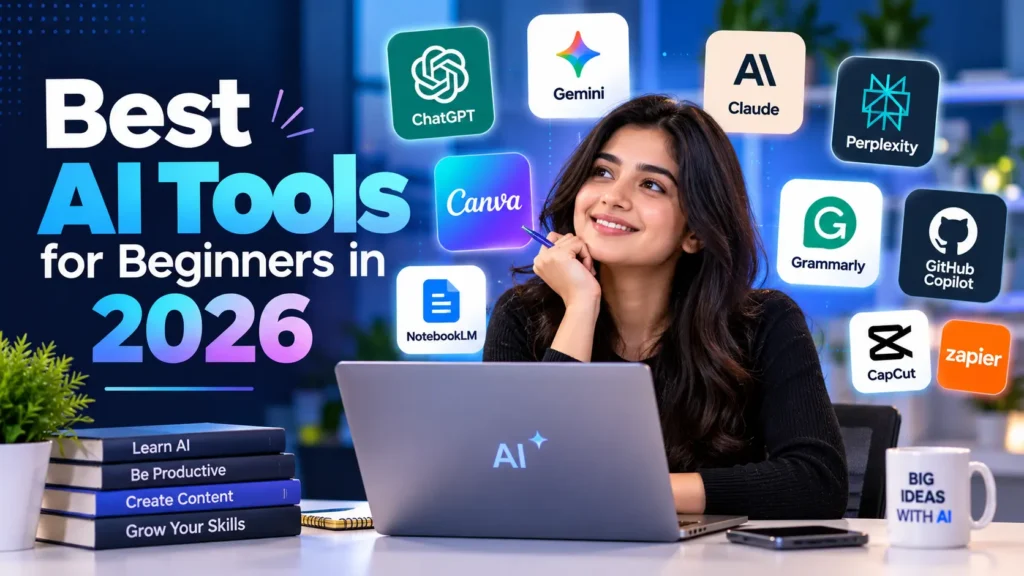
The best starting tools include ChatGPT for general assistance, Google Gemini for everyday tasks, Claude for writing, Perplexity for research, Canva for design, and NotebookLM for studying your own documents.
You don’t need all ten tools. Start with one that solves a problem you already have, learn its features, and expand your toolkit as needed.
1. ChatGPT — Best AI Tool for Everyday Tasks
Best for: Writing, brainstorming, learning, planning, and problem-solving.
Official website: Chatgpt
ChatGPT is a versatile AI assistant that can help beginners with a wide range of tasks. You can ask questions in natural language without learning complicated commands or technical terminology.
What can you do with ChatGPT?
- Draft emails, blog posts, and social media captions.
- Explain difficult topics in simple language.
- Generate ideas for content and projects.
- Create study plans and daily schedules.
- Help understand code and troubleshoot basic problems.
Example prompt:
“Explain digital marketing to a complete beginner using five simple examples from everyday life.”
ChatGPT can turn a broad question into a structured explanation. You should still verify important facts and edit the output to match your needs.
Cost: A free plan is available, with paid plans offering additional features and usage limits. Check the official website for current details.
2. Google Gemini — Best for Google-Oriented Workflows
Best for: General assistance, learning, brainstorming, and working within Google’s ecosystem.
Official website: Gimini
Google Gemini is an AI assistant that can help you generate ideas, understand topics, draft content, and work through questions.
Beginners may find it useful when they already use Google services and want to explore Google’s AI features.
Key uses:
- Summarising information.
- Creating outlines for articles and presentations.
- Explaining concepts and answering questions.
- Brainstorming marketing campaigns.
- Helping organise ideas for projects.
Example prompt:
“Create a seven-day beginner learning plan for understanding artificial intelligence, with one practical exercise each day.”
Cost: Free access and paid options may be available depending on your account and region.
3. Claude — Best for Long-Form Writing
Best for: Drafting, editing, brainstorming, and working with longer documents.
Official website: Claude
Claude is an AI assistant developed by Anthropic. It can help users organise ideas, improve writing, review documents, and create structured explanations.
For bloggers, it can be useful during the planning and editing stages of content creation.
Key uses:
- Developing article outlines.
- Improving clarity and readability.
- Rewriting awkward sentences.
- Summarising long documents.
- Organising research into structured notes.
Example prompt:
“Review this article outline for clarity, identify missing sections, and suggest questions a beginner reader might ask.”
Claude offers a free plan with usage limits, alongside paid plans. Confirm current availability and pricing on its official website.
4. Perplexity — Best for AI-Assisted Research
Best for: Exploring topics, finding sources, and starting research.
Official website: https://www.perplexity.ai/
Research can take considerable time, especially when you’re writing about unfamiliar subjects. Perplexity helps users explore questions and discover supporting web sources.
It’s particularly useful for bloggers who need to identify relevant references before writing an article.
Key uses:
- Exploring unfamiliar topics.
- Finding articles and primary sources.
- Identifying different perspectives.
- Creating an initial research outline.
- Discovering questions worth investigating.
Example prompt:
“Find authoritative sources about how small businesses use artificial intelligence, prioritising official reports and recent research.”
Always open and read the cited sources yourself. A citation is a starting point for verification, not proof that every generated statement is correct.
5. Canva — Best AI Tool for Beginners in Design
Best for: Blog graphics, social media images, presentations, and visual content.
Official website: https://www.canva.com/
Canva makes graphic design accessible to people without professional design experience. Its templates and available AI features help beginners create attractive visual content.
Key uses:
- Designing blog featured images.
- Creating infographics.
- Making social media posts.
- Building presentations.
- Producing visual guides and diagrams.
Example: Create a featured image titled “10 Best AI Tools for Beginners in 2026” using a clean layout, simple AI-themed illustrations, and readable typography.
Canva has a free plan, while some premium assets and AI features require a paid subscription or have usage limits. See its official pricing page.
6. NotebookLM — Best for Studying Your Own Sources
Best for: Students, researchers, and people working with documents.
Official website: https://notebooklm.google.com/
NotebookLM, which Google has also presented under the name Gemini Notebook, helps users work with supplied sources such as documents, notes, and supported web materials.
Instead of asking only general questions, you can use it to explore information from the sources you provide.
Key uses:
- Summarising study materials.
- Creating revision notes.
- Understanding lengthy reports.
- Asking questions about uploaded documents.
- Preparing study guides from reference materials.
Example prompt:
“Using only the documents I’ve supplied, summarise the five main ideas and identify which source supports each idea.”
Check the source references and the current product name and features before publishing instructions about them, because product offerings can change.
7. Grammarly — Best for Improving Your Writing
Best for: Grammar, clarity, spelling, and professional communication.
Official website: https://www.grammarly.com/
Grammarly helps writers identify language issues and improve readability. It can be useful for bloggers, students, job seekers, and professionals who want their writing to sound clearer.
Key uses:
- Correcting spelling and grammar.
- Improving sentence clarity.
- Reviewing professional emails.
- Adjusting tone.
- Polishing article drafts.
Example: Write your first draft, then use Grammarly to identify unclear sentences and recurring grammar mistakes.
AI writing suggestions should support your own editing rather than replace your judgement. Check the final text for accuracy and your intended meaning.
8. GitHub Copilot — Best for Beginner Coding Assistance
Best for: Learning programming and understanding code.
Official website: https://github.com/features/copilot
GitHub Copilot can assist with coding tasks, explain programming concepts, and suggest code in supported development environments.
You don’t need to become a professional programmer to benefit from learning how code works, although basic technical knowledge becomes increasingly useful as projects grow.
Key uses:
- Explaining unfamiliar code.
- Suggesting code completions.
- Helping troubleshoot errors.
- Creating simple practice exercises.
- Learning programming concepts.
Example prompt:
“Explain this HTML and CSS code line by line, then give me a small exercise to practise what I’ve learned.”
Always review generated code, test it, and avoid sharing passwords, API keys, or confidential information.
9. CapCut — Best for Beginner Video Creation
Best for: Short videos, social media content, and basic video editing.
Official website: https://www.capcut.com/
CapCut is a video editing platform with features that may include AI-assisted editing, captions, and other creative tools depending on the version and region.
It can help beginners turn recorded footage into content for social media and educational projects.
Key uses:
- Editing short videos.
- Adding captions.
- Creating tutorials and explainers.
- Preparing vertical videos for social platforms.
- Improving the presentation of recorded content.
Example: Record a short tutorial explaining one AI tool, add captions, and edit the footage into a concise educational video.
Review current feature availability and licensing terms before using generated assets commercially.
10. Zapier — Best for Beginner Automation
Best for: Connecting apps and reducing repetitive work.
Official website: https://zapier.com/
Zapier is an automation platform that connects supported applications to create workflows. It can help users automate routine tasks without building every integration from scratch.
Key uses:
- Sending notifications when forms are submitted.
- Connecting supported apps.
- Automating repetitive administrative tasks.
- Moving information between services.
- Creating simple business workflows.
Example: Build a workflow that sends a notification when a new contact form response arrives, using supported integrations and appropriate permissions.
Start with a simple workflow and test it before relying on automation for important business operations.
Best AI Tools for Beginners: Quick Comparison
| AI tool | Best use | Beginner-friendly starting point |
|---|---|---|
| ChatGPT | Everyday assistance | Ask questions and draft content |
| Google Gemini | General tasks | Brainstorm and summarise |
| Claude | Writing and editing | Improve an article draft |
| Perplexity | Research | Find sources to investigate |
| Canva | Graphic design | Create a blog thumbnail |
| NotebookLM | Document research | Summarise supplied materials |
| Grammarly | Writing improvement | Review grammar and clarity |
| GitHub Copilot | Coding | Explain and practise code |
| CapCut | Video editing | Make a short tutorial |
| Zapier | Automation | Connect two supported apps |
Features, free usage limits, regional availability, and paid plans can change. Check each official website before choosing a tool based on a specific feature or price.
How Should Beginners Choose the Right AI Tool?
You don’t need to subscribe to multiple platforms immediately. Choose according to the task you want to complete.
If you want to write articles: Start with ChatGPT or Claude, then edit and fact-check the result.
If you need reliable research: Use Perplexity to discover sources and read the original references.
If you create visual content: Try Canva for featured images and infographics.
If you’re a student: Explore NotebookLM for studying materials you supply.
If you want to learn coding: Use GitHub Copilot as an assistant while practising the fundamentals.
If you want to save time: Explore Zapier for repetitive workflows that connect your existing apps.
The best tool is the one that solves your current problem without introducing unnecessary cost or complexity.
Are There Free AI Tools for Beginners in 2026?
Yes. Several platforms offer free plans or limited free access. ChatGPT, Gemini, Claude, Canva, and other tools may let you begin without paying.
However, free access doesn’t necessarily mean unlimited use. Some features may require a subscription, have usage caps, or vary by country and account.
A sensible approach is to:
- Choose one tool for a specific task.
- Test it using a real project.
- Check its free-plan limits.
- Compare its results with reliable sources.
- Upgrade only if a paid feature provides clear value.
Can Beginners Use AI Without Coding Skills?
Absolutely. Many AI assistants work through ordinary text instructions. You can ask a question, explain your goal, and refine the response through follow-up prompts.
For example, a beginner can request a blog outline, generate ideas for a presentation, summarise a document, or create a simple content calendar without writing code.
Learning basic digital skills still matters. Understanding research, writing, privacy, and fact-checking will help you use AI more effectively.
Is AI-Generated Content Safe to Publish on a Blog?
AI can help with research, outlining, drafting, and editing, but publishing unreviewed output can introduce inaccurate facts, outdated details, repetitive writing, and unsupported claims.
For a better publishing workflow:
- Verify important claims using authoritative sources.
- Add original examples and practical experience.
- Confirm tool features and prices on official websites.
- Use original or properly licensed images.
- Review all content for accuracy and usefulness.
- Disclose affiliate relationships when applicable.
Your goal should be to help readers solve problems, not simply publish large volumes of AI-generated text.
Frequently Asked Questions
Which AI tool is best for absolute beginners?
ChatGPT is a useful general starting point because you can describe a task in everyday language. Canva is another approachable choice if your main goal is visual content.
What is the best free AI tool in 2026?
There is no single best free tool for every task. Compare free access, usage limits, features, and output quality based on what you need to accomplish.
Can I use AI tools to start a blog?
Yes. AI can assist with brainstorming, outlines, research, editing, and graphics. However, original insights, fact-checking, and editorial quality remain essential.
Do I need to learn coding to use AI?
No. Many popular AI assistants and creative tools can be used without coding. Programming assistance tools are available if you later decide to learn development.
Are AI tools accurate?
Not always. AI systems can make mistakes or produce plausible-sounding but incorrect information. Verify important claims against trustworthy sources before acting on them or publishing them.
Final Thoughts
The best AI tools for beginners in 2026 are the ones that make learning, writing, research, design, and everyday work easier.
Start with one general assistant, add a research or design tool when you need it, and develop a workflow that fits your goals. You don’t need every new AI application to benefit from artificial intelligence.
Visit the official websites linked in this guide, explore the available free features, and test each tool on a real task before committing to a paid plan.
Which AI tool will you try first? Choose one, experiment with it, and keep learning as the technology evolves.
References and Official Resources
Editorial note: Tool descriptions are based on their general purposes and official resources. This article does not claim that all tools were independently hands-on tested. Check official product pages for current features, pricing, regional availability, and terms.